



Farpov Series Camera API Interface Usage Tutorial
All Farpov products provide two extended functions for better project management:
A. Browse pictures without password.
B. APIs are provided for third-party project management software to call the pictures taken by Farpov.
(These functions will only be enabled if users actively apply, because additional services will increase the cost of camera cloud storage traffic. However, the manufacturer currently provides them for free, and users only need to apply to enable them.)
Once you apply for and obtain the key, if it is leaked, it may cause the leakage of project information. Please carefully evaluate whether you need this function. We are not responsible for the security risks caused by the leakage of the key.
1. Get Your Digital Key
Provide your user ID and apply to the salesperson to activate the extended functions of the ID. The salesperson will give the user a digital key.
The digital key is similar to the green marked part in the figure below:
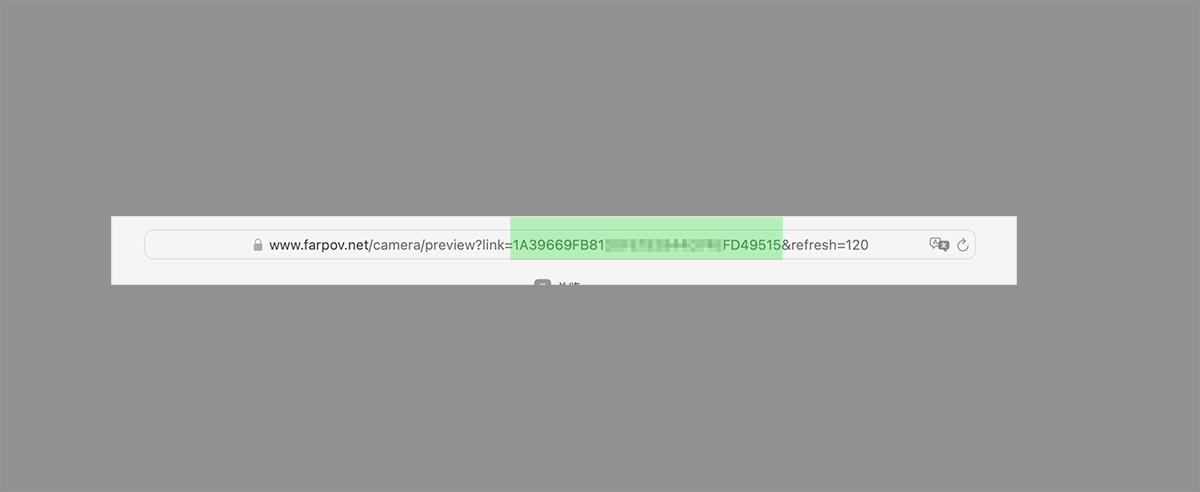
Figure 1: Digital Key Example
2. Camera Login-Free Browsing Address
The preview link format is:
https://www.farpov.net/camera/preview?link=KEY&refresh=SECONDSExample:
https://www.farpov.net/camera/preview?link=1A39669F92844DD49515&refresh=120
The link parameter is the digital key provided by the manufacturer.
refresh is the automatic refresh frequency.
refresh=120means that the link will automatically refresh every 120 seconds to get the latest image.
3. How to Use API
The API has two interfaces, one is the list interface and the other is the image interface. The following figure provides the specific usage of the two interfaces.
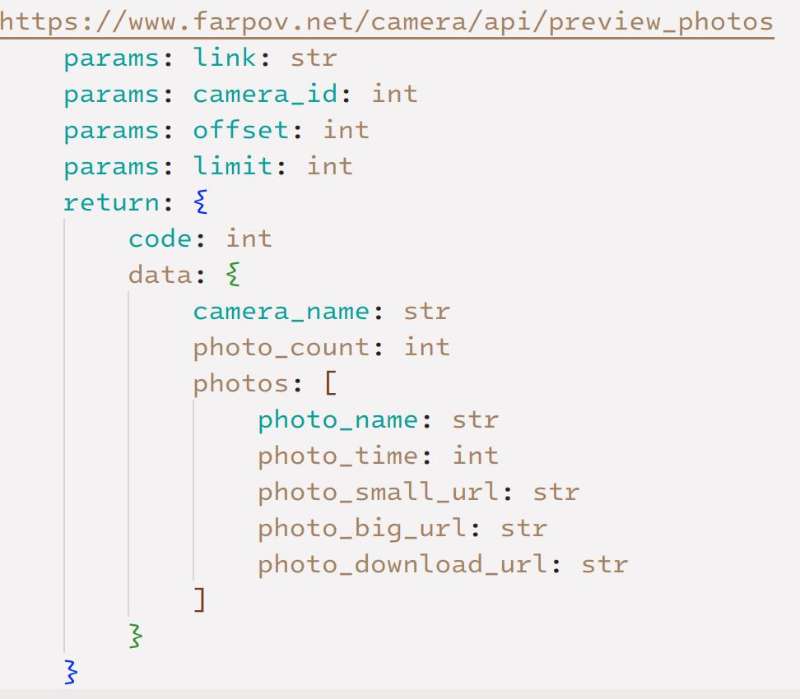
Figure 2: API Interface Usage
Parameters:
link: parameter is the user's digital key.
camera_id: parameter can be found in the management system path:
Manage Camera > Edit Camera > Get Key > Camera ID
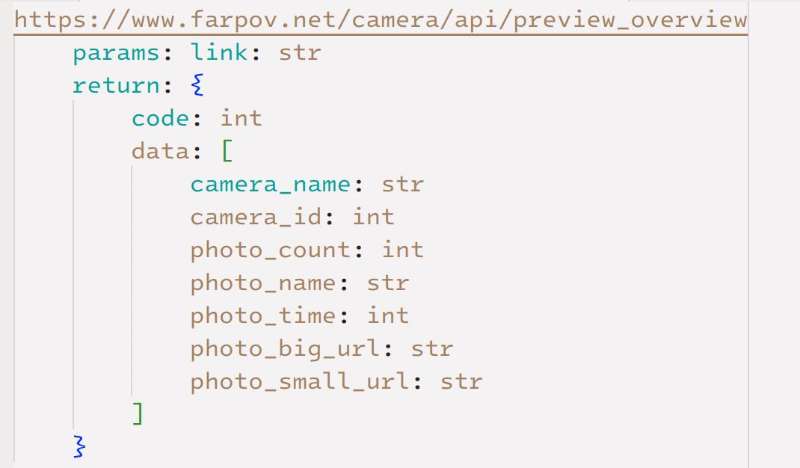
Figure 3: API Interface Usage
We have provided an API usage case for your reference.
Related suggestion:
FARPOV PRO introduce | FARPOV EYE time lapse camera | farpov eye | farpov pro | farpov cam | FARPOV MINI1000 | Remote control | Professional picture quality | Super power saving | Data security







 WeChat
 WhatsAPP