



A common request from developers and stakeholders is: "We want a live video feed of the construction site."
But when they say "Live Video," they usually don't realize the logistical nightmare of streaming 24/7 video over 4G LTE. It kills data plans, drains batteries, and offers poor resolution.
The industry standard is not Video Streaming, but Live Image Streaming. This guide explains why.
⚠️ The "Bandwidth Trap"
Streaming 1080p video (30fps) consumes about 1.5 GB of data per hour. That's 1 TB per month. On a remote site using 4G/5G, this is prohibitively expensive and unstable.
1. What is "Industrial Live Streaming"?
Unlike a Twitch streamer or a Zoom call, a construction camera doesn't need to capture every blink of an eye. Watching concrete dry at 30 frames per second is unnecessary.
The Farpov Approach:
High-Res Snapshots: instead of a blurry video, the camera uploads a crystal-clear 4K photo every 5, 10, or 15 minutes.
On-Demand Video: If you need to see movement (e.g., a crane lift), you can activate "Live View" mode to see a real-time video feed for a short duration.
The Result: Stakeholders see the progress in perfect detail, but data usage is reduced by 99%.
2. Why Image Streaming is Superior for Construction
1. Higher Resolution
Video streaming is usually compressed to 1080p or 720p to save bandwidth. Farpov's image stream delivers 4K or 8K resolution. You can zoom in to read a sign on a truck, which is impossible with video.
2. History at a Glance
A video stream is fleeting. If you miss it, it's gone. An image stream builds a visual history. You can drag a slider to see what the site looked like 1 hour ago, yesterday, or last month.
3. How Farpov Handles "Live" Requests
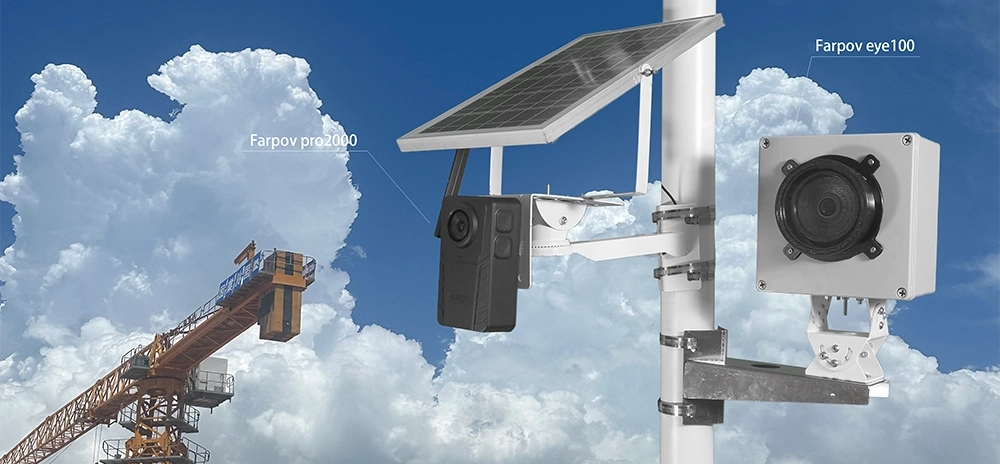
The Farpov Pro 2000 is designed to give you the best of both worlds:
Feature A: The Project Dashboard (Public Link)
You can generate a public URL to share with investors or the public. This page updates automatically every time a new photo is taken. It looks like a live feed, but it's crisp, static imagery.
Feature B: Real-Time Live View (Admin Only)
As the administrator, you can log into the app and request a live video stream. This is useful for:
Checking weather conditions instantly.
Verifying if a specific delivery has arrived.
Adjusting the camera angle remotely.

The Dashboard provides a timeline of high-res images, far more useful than a video feed.
4. Comparison: CCTV vs. Time-Lapse Camera
| Feature | CCTV (Security Camera) | Farpov Time-Lapse Cam |
|---|---|---|
| Primary Goal | Security / Theft Prevention | Marketing / Progress Tracking |
| Image Quality | Low (1080p), High Compression | Ultra High (4K/8K), RAW |
| Data Usage | Massive (Continuous Stream) | Efficient (Uploads on Interval) |
| Power | Requires Grid Power | 100% Solar Powered |
Conclusion
Can a time-lapse camera be used for live streaming? Yes, but in a smarter way.
Instead of drowning in expensive, low-quality video data, use the Farpov Pro 2000 to deliver a "Live Image Stream" that impresses clients with 4K clarity and instant historical access.







 WeChat
 WhatsAPP